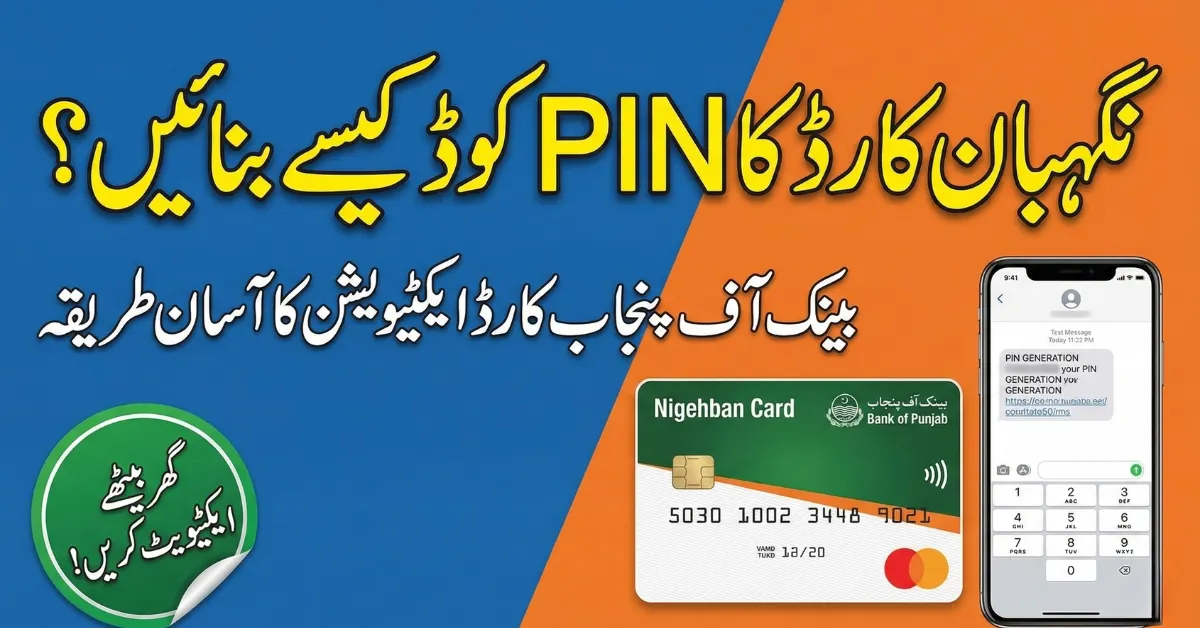
The Nigehban Bank of Punjab Card is part of the government’s financial assistance initiative for low-income families in Punjab. Through this card, eligible households can easily withdraw relief funds using ATMs and authorized retailers.This guide explains what the Nigehban Card is, how to generate your PIN, how to withdraw money, and important safety tips to help beneficiaries access their funds without any problems.
What Is the Nigehban Bank of Punjab Card?
The Nigehban Card is a government-issued financial support card given to eligible families under the Nigehban Ramadan Relief Program. It allows beneficiaries to securely receive and withdraw financial assistance.The card is issued through Bank of Punjab and is linked with the beneficiary’s CNIC for identity verification.
Key Features of the Nigehban Card
-
Issued through Bank of Punjab
-
Part of the Nigehban Ramadan Relief Program
-
Allows secure ATM withdrawals
-
Linked with CNIC verification
-
Ensures transparent distribution of government subsidies

This system helps the government deliver relief funds safely and directly to deserving families.
How to Generate PIN for Nigehban Card (Step-by-Step)
After receiving your Nigehban Card, you must activate it by generating a PIN. Follow these simple steps.
Step 1: Visit a Bank of Punjab ATM
Go to the nearest ATM of Bank of Punjab.
Step 2: Insert Your Nigehban Card
Insert the card into the ATM machine and select the PIN Generation / Activation option on the screen.
Step 3: Enter Your CNIC Details
The ATM will ask for your CNIC number to verify your identity.
Step 4: Create a New PIN
Enter a 4-digit PIN code that is easy for you to remember but difficult for others to guess.

Step 5: Confirm the PIN
Re-enter the same PIN to confirm. Once approved, your card will be activated.
After completing these steps, your card is ready for cash withdrawals and balance inquiries.
How to Withdraw Money After PIN Generation
Once the PIN is successfully created, you can withdraw your relief funds from the ATM.
Withdrawal Process
-
Insert the Nigehban Card into the ATM
-
Enter your 4-digit PIN
-
Select Cash Withdrawal
-
Choose the withdrawal amount
-
Collect your cash and receipt
The funds are distributed under the relief package launched by Maryam Nawaz through the Punjab government.
Important Safety Tips for Cardholders
To protect your financial assistance, follow these safety guidelines:
-
Never share your PIN with anyone
-
Do not take help from strangers at ATMs
-
Cover the keypad while entering your PIN
-
Immediately report lost or stolen cards to the bank

These precautions help ensure your government assistance remains secure.
Common Issues During PIN Generation
Some users may face technical issues while activating their cards. Here are some solutions.
Possible Solutions
-
Make sure your CNIC matches the registration record
-
Try another ATM of Bank of Punjab
-
Contact the official helpline or visit the nearest branch

Bank staff can help resolve most activation problems quickly.
Final Thoughts
Generating a PIN for the Nigehban Bank of Punjab Card is a simple but important step to access government financial support. By activating the card at a Bank of Punjab ATM, beneficiaries can safely withdraw their assistance funds and manage their relief payments without delays.The Nigehban Ramadan Relief Program aims to ensure that financial aid reaches deserving families in a secure, transparent, and convenient way.
If you want, I can also help you create:
-
SEO title (60 characters)
-
Meta description (160 characters)
-
Focus keywords + FAQ schema
These will increase the chances of ranking on Google’s first page. 🚀
Latest Updates